
Hello everyone!
Today I’m bringing into the Lab a project a bit different from the usual FFXI add-ons and ReShade tweaks: BunnyCore!
What is BunnyCore?
BunnyCore is a small single-player time-attack arcade game I built in Unity (2022.3).
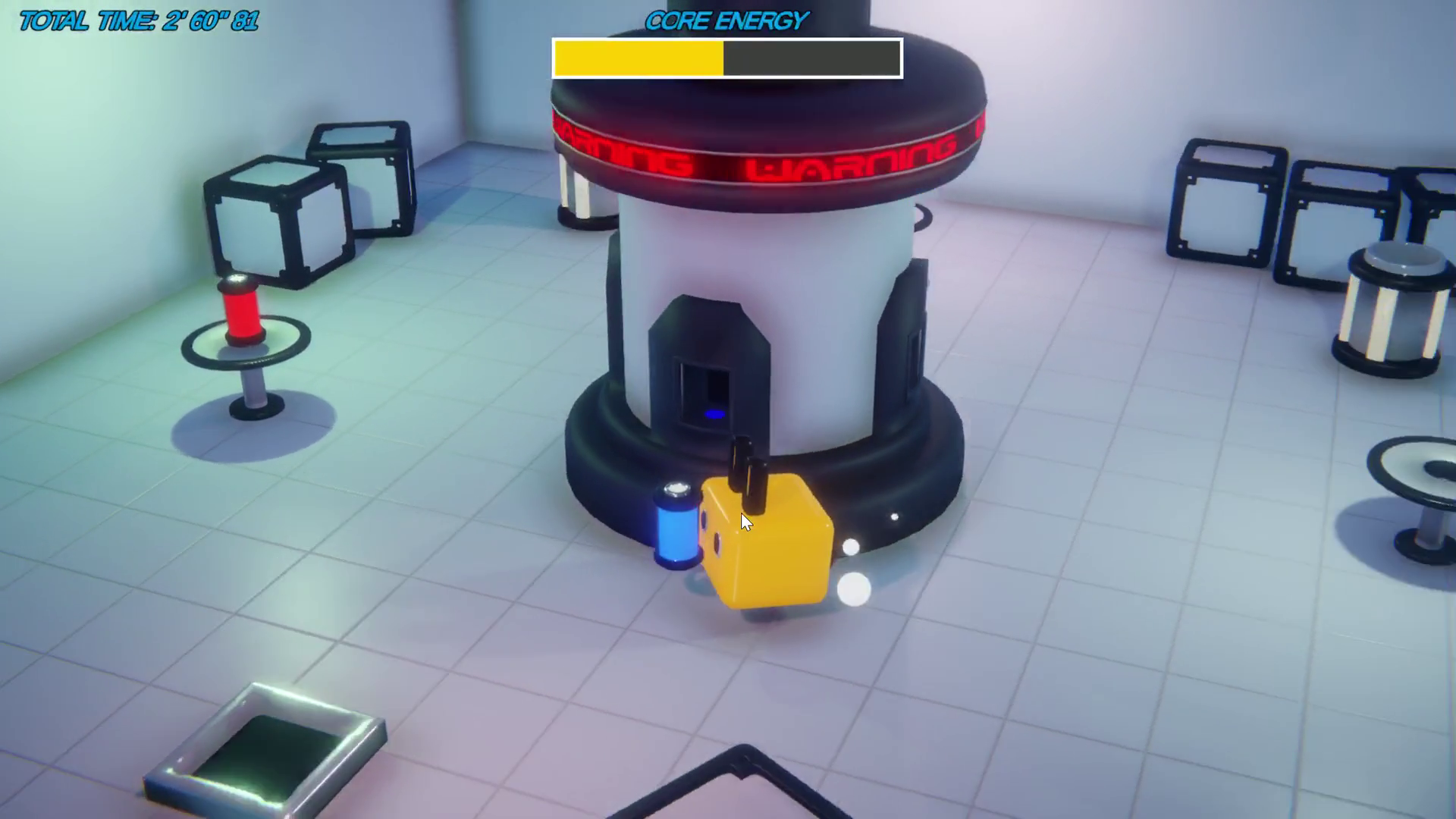
You play as a bunny tending a big four-port energy reactor in the middle of the play area, and your only job is to keep it running for as long as possible before it goes dark.
The catch? Every port of the reactor demands a specific colour of energy cell, and the colour each port wants reshuffles every single time you feed it. So you’ll be running around the room, picking up energy cells from spawners scattered around, and dropping them into the right ports of the reactor before its central timer drains.
How to play
Movement is your classic four-directional input, camera-relative so the bunny goes where the stick points relative to where you’re looking. Nothing fancy, just enough to feel responsive.
Around the play area there are spawners that, on a random timer between 2 and 10 seconds, produce a coloured energy cell. The cells come in red, yellow, green, and blue, and you can only carry one at a time. Walk up to a spawner with a cell ready, press the interact key, and you’ll grab whatever it has produced.
The reactor in the centre has four drop points around it, each one lit up with the colour it’s currently demanding. Bring a cell that matches the slot, press interact again, and the reactor will consume it after a short charging animation, refilling the central timer with a chunk of bonus time. The doors close while the reactor is consuming, then reopen so you can come back with the next one. If you bring a cell of the wrong colour, well, nothing happens (other than the time you wasted on the trip 🙃).
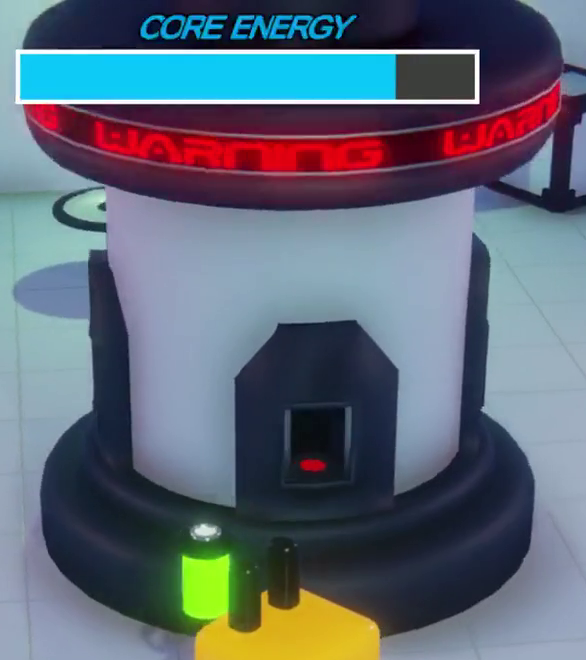
As long as you keep feeding the reactor the right colours, you can keep the run going. The central timer drains at all times, no exceptions, and once it hits zero it’s game over. Your final score is just how long you survived.
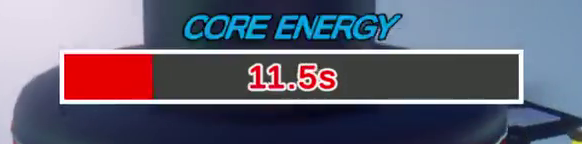
The HUD has a single big progress bar that doubles as your “how scared should I be” meter. It starts blue when you have plenty of time, shifts to yellow, then orange, and finally red when things are really getting dire. Once you’re in the red, a numeric countdown also pops up so you know exactly how many seconds you have left to panic. 😱
Behind the scenes
This project was originally my excuse to dig into a few Unity features I wanted to learn properly, so under the hood it’s a bit more interesting than the gameplay loop might suggest.
Some of the things I leaned on most heavily:
- New Input System: all the controls (movement, interact, pause) are routed through Unity's new Input System, so the game supports keyboard and gamepad out of the box without me having to duplicate any binding logic.
- ScriptableObjects: each energy-cell colour is its own EnergyCellSO asset, so the colour, label, and other per-cell metadata live as typed game data on disk instead of being hardcoded in scripts.
- Event-driven messaging: the player, the reactor, the spawners, and the sound controller all communicate via C# events (OnInteractPerformed, OnConsumedCell, OnDoorsActivated, OnGameOver, and a few more). Each system subscribes only to the events it cares about and stays decoupled from the others.
- Three-scene flow: HomeScene for the main menu, LoadingScene as a small transition buffer, and GameScene for the actual run. A tiny SceneData static class carries the "next scene" target across the loading screen.
- Singletons (only where they made sense): Reactor and PlayerInput are the only two singletons in the project, since they're the central reference points everyone else needs to talk to.
Models and shaders, all home-made!
This is the part I’m most proud of: every single 3D model in the game is made by me in Blender. 🎨 The bunny, the reactor, the spawners, the cells, the doors, the table that holds the reactor, the disposer, all of it. Not a single asset-store mesh in the scene.
The same goes for a handful of the shaders. My favourite of the bunch is the warning-flickering light that pulses on top of the reactor as the timer runs short. ✨ It’s a fully custom shader that combines a colour ramp with a noisy flicker tied to the urgency of the remaining time, and honestly it sells the “you’re about to lose, do something” feeling way more than the HUD bar does on its own.

See it in action
Here’s a (long, sorry! 😅) clip of an actual run. Feel free to skip around to get a feel for the cell pickup, the drop-point colour rotation, and the panic mode when the bar goes red:
More details
If you want to peek at the code, check the Blender models, or just clone the whole thing and tinker, the full project is on GitHub here.
This was a fun one to put together, especially for the modelling-and-shader part of it. I hope you enjoyed the read! See you next time! ❤️🐇